
How do I register my address?
Your physical address must be filled in correctly as it will be used for billing and / or for delivery for your orders.
Once you have logged in (see HERE), click either :
- On the cogwheel in the top right-hand corner, Click on “MY ACCOUNT” button, then on the ‘ADDRESS’ tab.
- On “MY ACCOUNT” link at the bottom of the page.
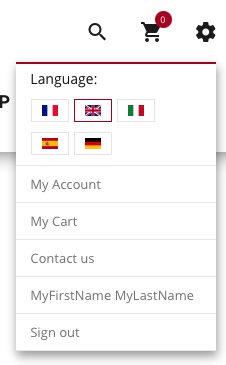
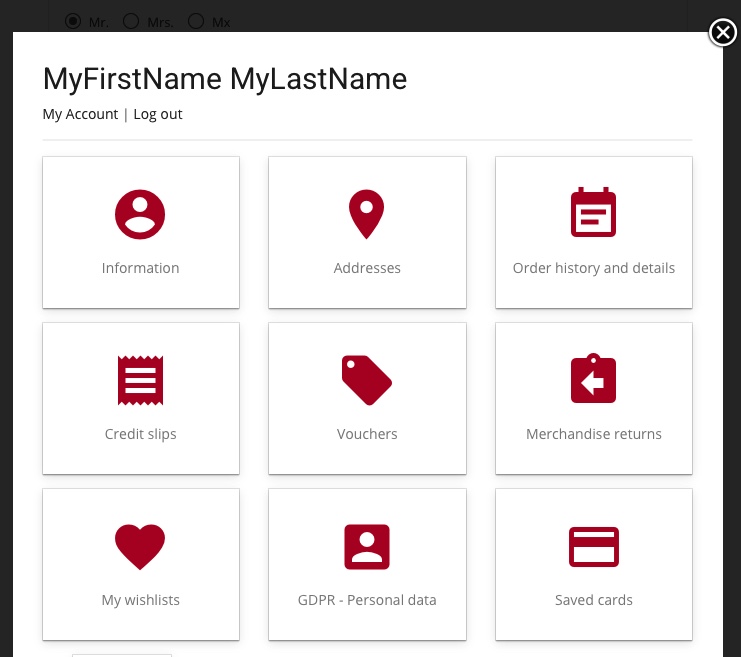
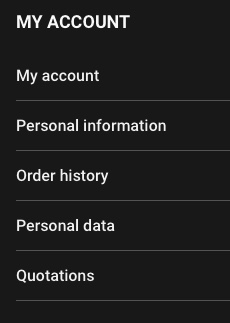
- On ‘MY ACCOUNT’ at the bottom of the page, then on the ‘ADDRESS’ tab.

You can then complete the address creation form.
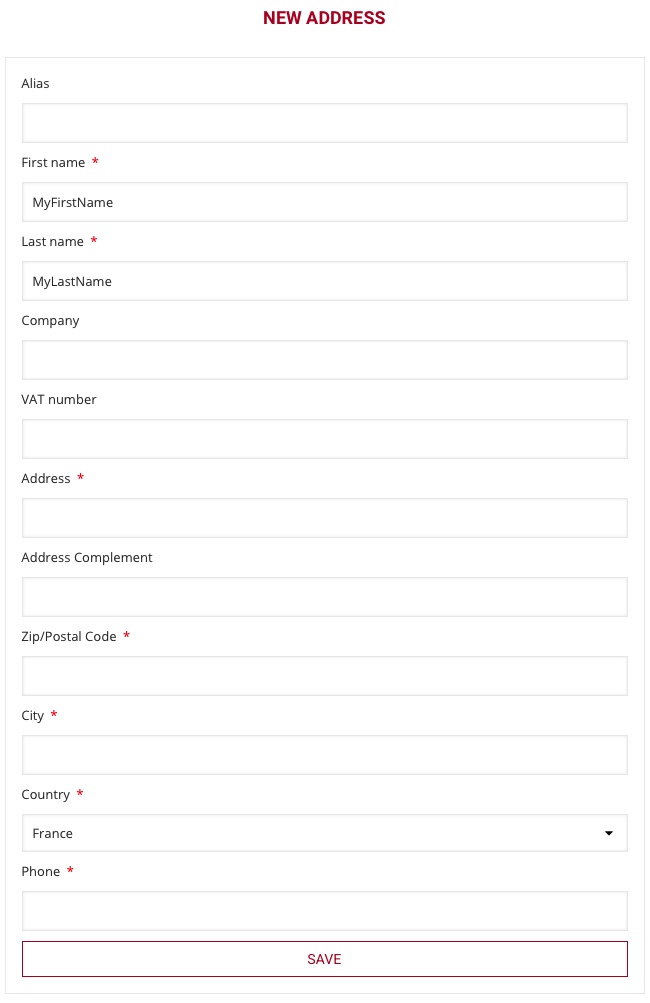
- ALIAS
The alias is the name for this address, usually “HOME”, or “OFFICE”… - FIRST and LAST NAME
The first and last names are mandatory. It must be real name as it will be requested by the carrier during the delivery.
PROTEUSHOP won’t be responsible for any failure if the contact name is not correct - COMPANY
Leave blank if the purchase is not in the name of any legal entity. If filled, then your order will be considered as professional or for an association (please refer to the corresponding category in our WIKI for more information) - VAT number
Leave blank - ADDRESS / ZIP CODE / CITY / COUNTRY
Billing or delivery address, insure you don’t make mistakes to have smooth delivery.
PROTEUSHOP won’t be responsible for delivery failure if the address is not correct - PHONE
The phone number is also really important as it can be used by the carrier and the driver of the carrier to update you about the delivery or to contact you about the time or a delivery issue. We recommend registering a mobile phone number to receive text messages.
PROTEUSHOP won’t be responsible for any failure if the phone number is not correct
Click on “SAVE”
Note that you can add additional addresses for delivery purposes.