
I received a promo code by email — how do I use it?
Promotional codes sent by email, including the free-shipping codes sent after an abandoned cart, are entered at the end of the order process, on the cart page, just before payment.
Where to enter the code
- Add your products to the basket and open the Cart page.
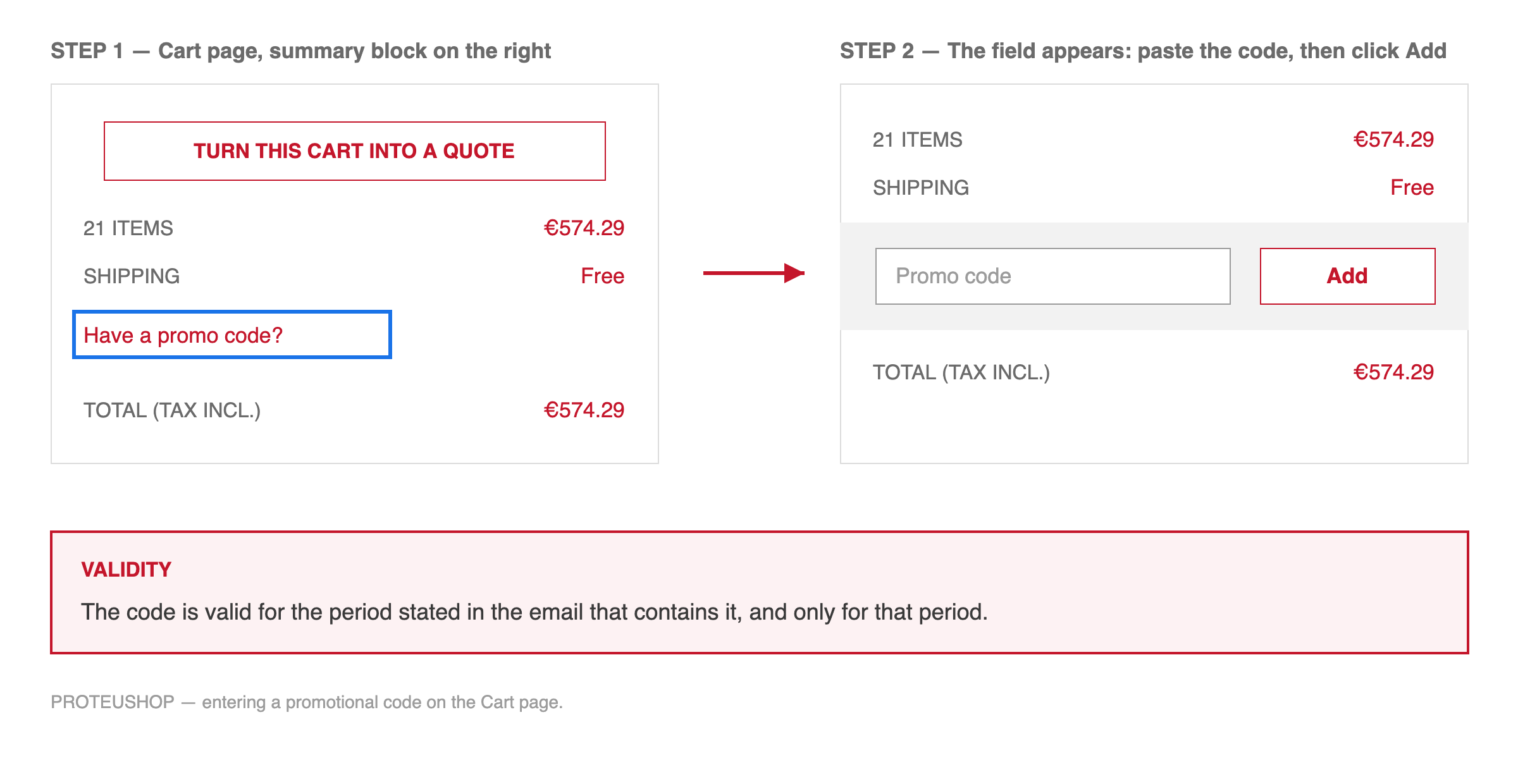
- In the summary block on the right, click “Have a promo code?”.
- A field appears. Type or paste your code, then click Add.
- The discount is applied immediately and appears in the summary, above the total.
Validity
Each code is valid for the period stated in the email that contains it, and only for that period. Once that window has passed, the code can no longer be used, and the discount cannot be applied retroactively to an order already placed.
Codes are personal, apply to a single order, and cannot be combined with another promotional code.
If the code is refused
- Check that the validity period given in the email has not expired.
- Copy and paste the code rather than retyping it, to avoid a confusion between 0 and O, or between 1 and l.
- Make sure you are logged in with the account that received the email.
If the code is still refused, please contact us through the customer service with the code and the email address it was sent to, and we will check it for you.