
How do I register headquarter address?
The physical address of your organization’s headquarters must be filled in correctly as it will be used as the billing address for all your orders.
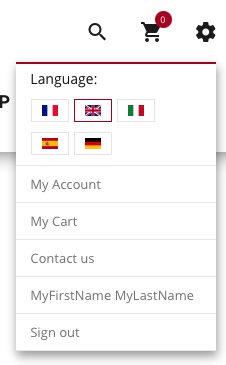
Once you have logged in (see HERE), click either :
- On the cogwheel in the top right-hand corner, Click on “MY ACCOUNT” button, then on the ‘ADDRESS’ tab.
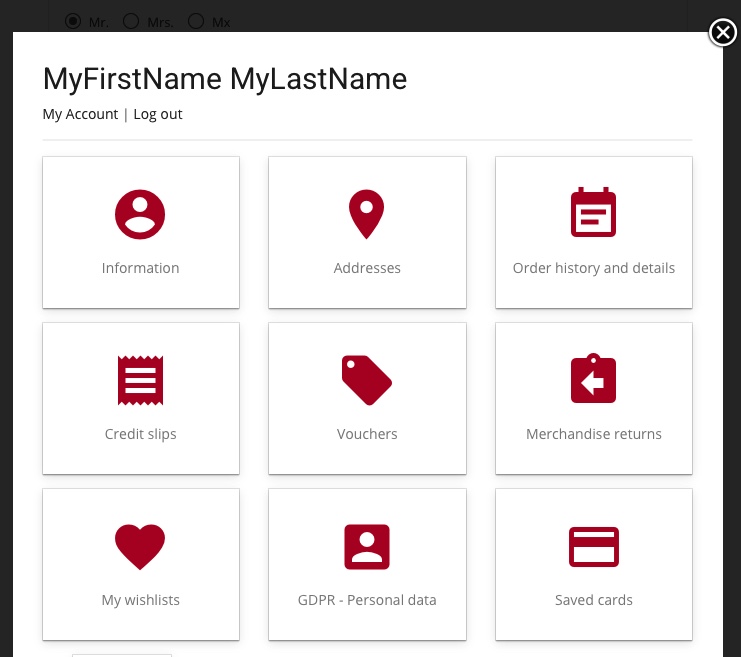
- On ‘MY ACCOUNT’ at the bottom of the page, then on the ‘ADDRESS’ tab.
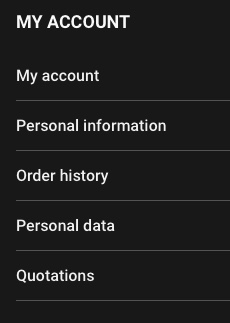

You can then complete the address creation form.
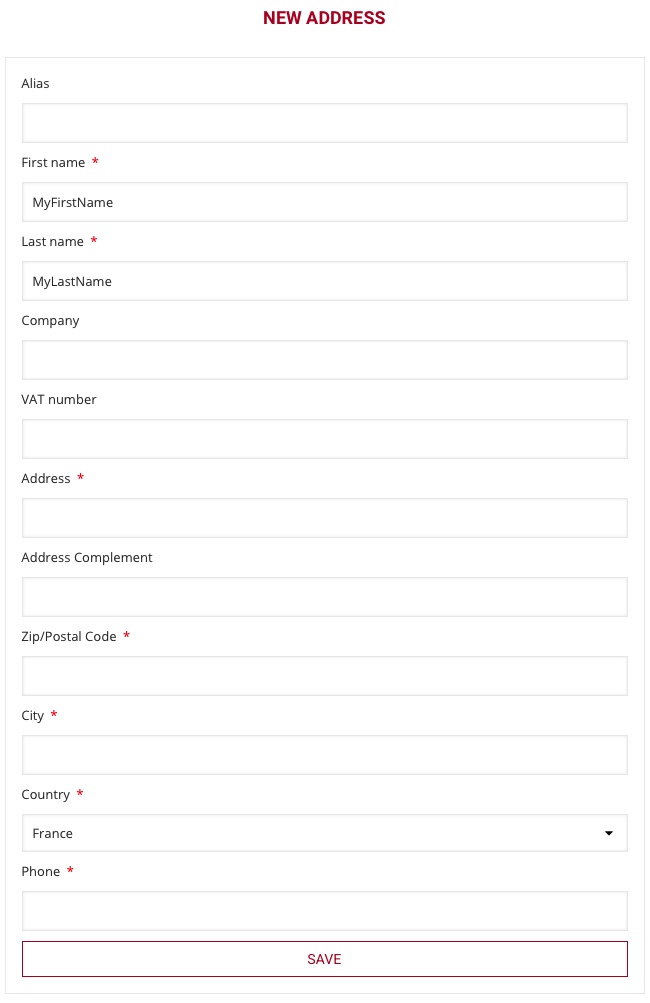
- ALIAS
The alias is the name for your headquarters. Leave the name of your association, or simply enter “headquarters”. - FIRST and LAST NAME
The first and last names are mandatory; they must be those of one of the members of the association’s board who can commit the legal entity, usually president, secretary or treasurer. - COMPANY
Be sure to register the complete name of your association in the “COMPANY” field - VAT number
Leave blank - ADDRESS / ZIP CODE / CITY / COUNTRY
Legal address of your headquarters, - PHONE
Phone number of the person whose name is listed above
The phone number is really important as it can be used by the carrier and the driver of the carrier to update you about the delivery or to contact you about the time or a delivery issue. We recommend registering a mobile phone number to receive text messages.
Click on “SAVE”
Note that you can add additional addresses for delivery purposes.