
Create an account for an association
Click either on :
- ‘My account’ link at the bottom of the page,
- The cogwheel in the top right-hand corner, then click on the ‘Login’ button
- Or use this link HERE
Then fill in the form
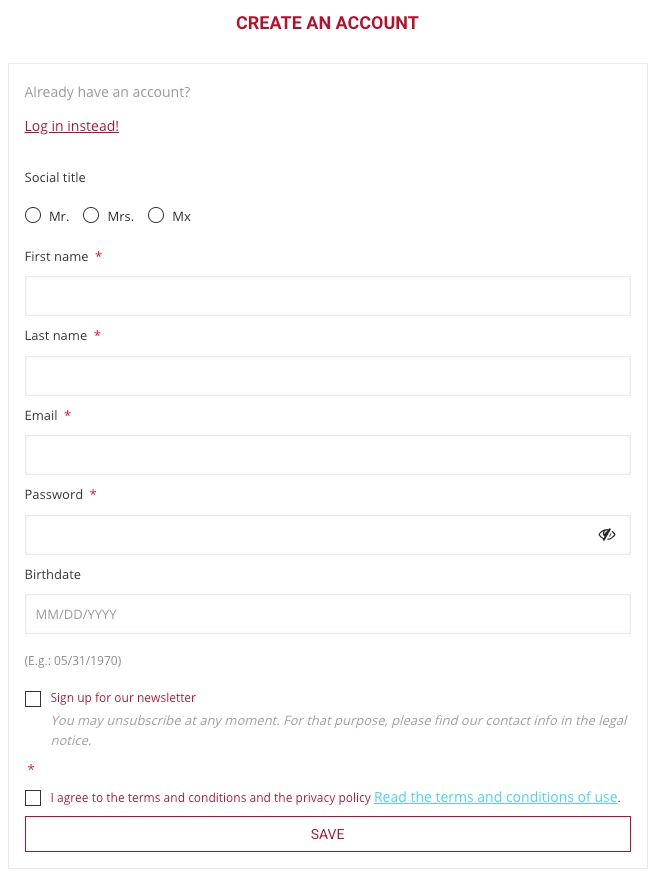
- FIRST and LAST NAME :
The first and last names are mandatory; they must be those of one of the members of the association’s board who can commit the legal entity, usually president, secretary or treasurer.
- EMAIL ADDRESS
We recommend always using a generic email address rather than a personal address. This way, if there is a change in management, your successor will be able to retrieve all the history and documents. In addition, several managers or members of the association’s board can share and access this same email account.
This point is particularly important because this email address will receive all messages from the store: orders, confirmations, package tracking, invoices, customer service, etc. - TERMS AND CONDITIONS
As a legal entity, you will be subject to the B2B terms and conditions, be sure to well read and understand “SECTION 3 CONDITIONS APPLICABLE IN BUSINESS TO BUSINESS (B2B) OR SALE TO PROFESSIONAL” in our GENERAL TERMS AND CONDITIONS OF SALE, links below :
EN : Sales general conditions
FR : Conditions Générales de Vente
IT : Condizioni generali di vendita
ES : Condiciones generales de venta
DE : Allgemeine Verkaufsbedingungen
After creating your account: confirm your e-mail using the link we send you (this is required — all orders, invoices and messages are sent to this address). Then go to My account → “Become an association / club” to submit your association details and documents and request activation.